How to Find Your EVM Wallet Address: Everything You Need to Know

What Is an EVM Wallet Address?
An EVM wallet address is the unique identifier that represents your account on Ethereum and any blockchain built on the Ethereum Virtual Machine. It is a 42-character string that always begins with 0x, followed by a mix of letters and numbers. For example, an address may look like this: 0x1a5FdBc891c5D4E6aD68064Ae45D43146D4F9f3a.
Think of it as your public-facing account number, similar to how a bank account number identifies your account in traditional finance. This is the address you share when someone wants to send you ETH or tokens, when you connect to a decentralized app (dApp), or when you interact with smart contracts. The address is generated through cryptographic algorithms from your wallet's public key, which itself is derived from your private key. This hierarchical generation process ensures security while keeping the address safe to share publicly, unlike your private key or seed phrase, which must always remain secret and should never be disclosed to anyone.
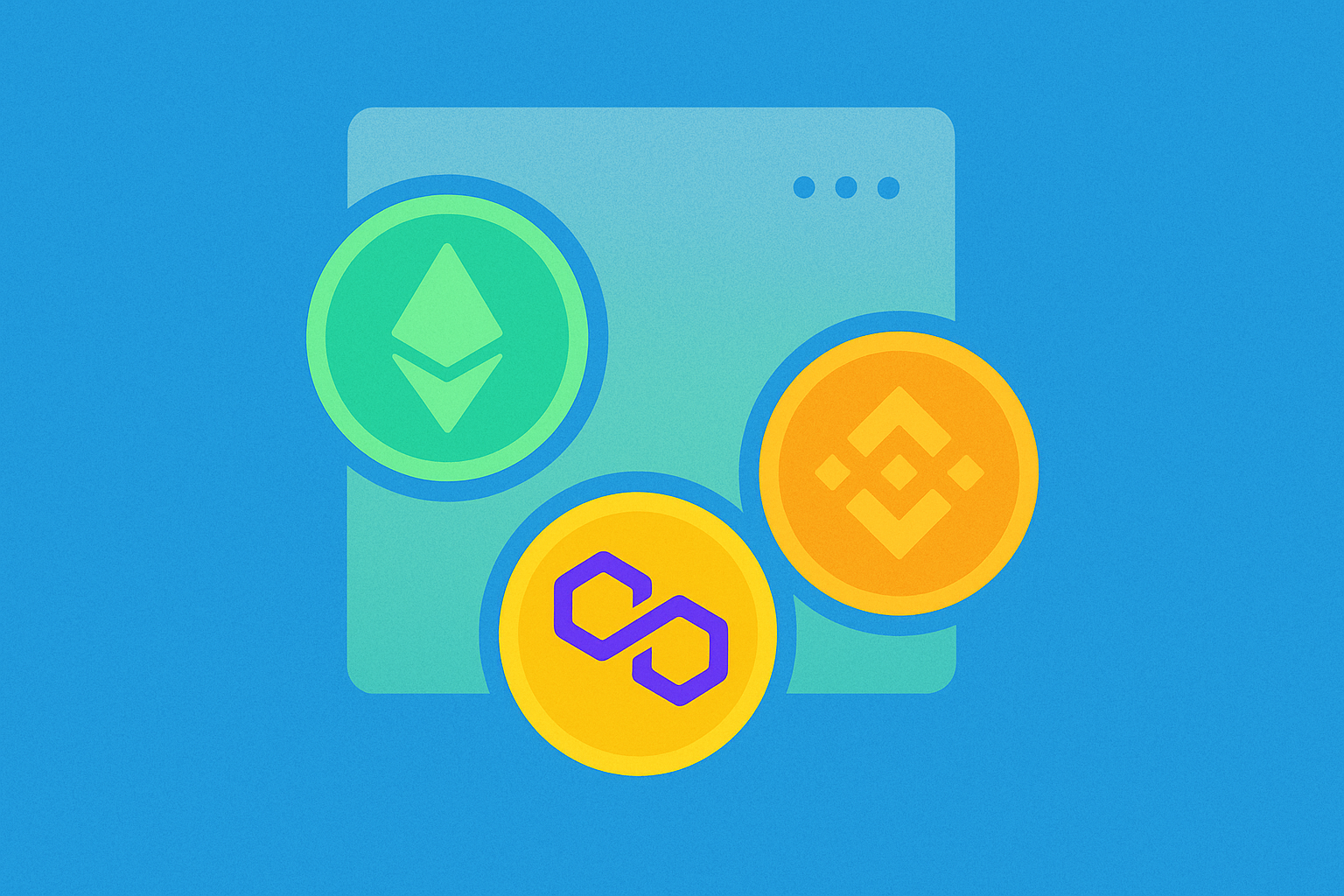
One particularly useful feature of EVM addresses is that they are recognized across all EVM-compatible networks. That means the same address works seamlessly on Ethereum mainnet, BNB Chain, Polygon, Arbitrum, Optimism, and dozens of other Layer 2 solutions and sidechains, even though your balances on each network remain completely separate. This cross-chain consistency makes it significantly easier for users to navigate different chains without the hassle of juggling multiple addresses or worrying about compatibility issues. However, it's crucial to remember that while the address format is identical, the assets exist independently on each blockchain.
How to Find Your EVM Wallet Address Using a Wallet App
For most users, especially those new to cryptocurrency, the easiest and most straightforward way to find an EVM wallet address is through a wallet app or browser extension. Whether you use MetaMask, Trust Wallet, or other mainstream wallets, the process is intuitive once you know where to look.
In MetaMask, which is one of the most widely used Ethereum wallets, your account address is displayed prominently right below your account name at the top of the screen. Simply click on it, and the address will be automatically copied to your clipboard, ready to be pasted wherever needed. MetaMask also provides a QR code option that can be scanned by mobile devices for quick sharing.
In Trust Wallet, a popular mobile wallet solution, open the app and navigate to your wallet homepage. Tap the specific token you want to receive (for example, Polygon or Ethereum), and select the "Receive" option. Your address will appear along with a scannable QR code that others can use to send you funds. This QR code method is particularly convenient for in-person transactions or when sharing addresses across devices.
Other mainstream wallets follow a similar approach, typically showing your address under the "All Networks" view or in the "Receive" section, with a convenient copy icon for quick access. Most modern wallets also include features like address book management and the ability to create multiple accounts under one seed phrase, each with its own unique address.
Always make sure you are on the correct network before sharing your address. While your address looks identical on Ethereum, BNB Chain, Polygon, and other EVM networks, the funds you receive will only show up in your wallet if the sender uses the matching network. For instance, if someone sends USDT on BNB Chain but you're expecting it on Ethereum, the tokens won't appear in your Ethereum wallet view, even though the address is the same.
How to Find Your EVM Wallet Address Using a Blockchain Explorer
A blockchain explorer is like a public search engine for the blockchain, providing transparency and verification capabilities that are fundamental to decentralized systems. On Ethereum, the most common and trusted example is Etherscan, but each EVM network has its own version, such as BscScan for BNB Chain, PolygonScan for Polygon, Arbiscan for Arbitrum, and so on. These tools let you look up wallet addresses, tokens, transaction history, smart contract interactions, and much more.
If you already know your address from a wallet app, you can paste it into the explorer's search bar to see your balance, token holdings, NFT collections, and complete transaction history. This is an excellent way to double-check that you copied your address correctly and to verify that transactions have been successfully processed. The explorer will display all incoming and outgoing transactions, including the exact timestamp, gas fees paid, and transaction status (success, pending, or failed).
If you only have a transaction ID (also called a transaction hash or txn hash), searching for it in the explorer will also show the sending and receiving addresses involved, so you can identify your own address and confirm the transaction details. This is particularly useful when tracking payments or verifying that funds were sent to the correct destination.
Remember, blockchain explorers are read-only tools. They show what's happening on-chain in real-time but they cannot move your funds or execute transactions. Always use them for verification and research purposes, not for making transactions. Never enter your private key or seed phrase into any blockchain explorer, as legitimate explorers will never ask for this information.
How to Find Your EVM Wallet Address on a Hardware Wallet
If you use a hardware wallet such as Ledger or Trezor, the process of finding your EVM address involves both the companion app and the physical device itself. This extra verification step is what makes hardware wallets significantly more secure than software-only solutions, as it protects against various types of malware and phishing attacks.
On Ledger devices, open the Ledger Live app on your computer or mobile device and connect your Ledger hardware wallet via USB or Bluetooth. Select your Ethereum account from the accounts list and click the "Receive" button. Ledger Live will display your address on-screen, and simultaneously, your Ledger device will also display the same address on its secure screen for confirmation. Always verify that both addresses match character by character before copying or sharing. This dual-verification process ensures that the address hasn't been tampered with by malicious software on your computer.
On Trezor devices, open Trezor Suite (the official companion software) and choose your Ethereum account from the dashboard. Navigate to the "Receive" tab, then select "Show full address." The wallet will display the address in the app interface and prompt your Trezor device to show the same address on its physical screen. Carefully compare the two addresses to make sure they are identical in every character. Some users find it helpful to check the first four characters, last four characters, and a few characters in the middle for quick verification.
Confirming the address on the hardware device's screen is absolutely crucial and should never be skipped. This step ensures that the address you copy is genuine and has not been altered by malware on your computer, which is a common attack vector. Hardware wallets are designed so that the address generation happens inside the secure chip, and the physical screen provides a trusted display that cannot be compromised by software attacks.
Tips for Copying, Sharing, and Using Your Address Safely
Your EVM wallet address is public by design, so it's safe to share openly. Still, the way you handle it can make a significant difference in avoiding costly mistakes and protecting yourself from various types of attacks. Here are some best practices that every cryptocurrency user should follow:
-
Use the copy button or QR code instead of typing your address manually. These addresses are 42 characters long and case-sensitive, so even a small typo can send funds to the wrong place or to an address that doesn't exist. Manual typing significantly increases the risk of human error.
-
Double-check after pasting, every single time. Malicious programs known as "clipboard hijackers" can replace a copied address with a hacker's address without you noticing. Always verify at minimum the first four and last four characters before confirming any transaction. Some security-conscious users check even more characters or use checksum verification tools.
-
Never share your private key or seed phrase under any circumstances. Your public address is safe to give out and is meant to be shared, but your keys and recovery phrase must remain absolutely secret. No legitimate request for your wallet address will ever require your private key or seed phrase. Any request for these is a scam attempt.
-
Clearly specify the network when sharing your address. Since your address looks identical across EVM chains, always tell the sender whether they should use Ethereum mainnet, BNB Chain, Polygon, Arbitrum, or another compatible network. A simple note like "Please send on Polygon network" can prevent confusion and lost funds.
-
Test with a small transfer when receiving a large sum for the first time. A quick test transaction of a few dollars gives you peace of mind and confirms that everything is set up correctly before the full amount moves. This small investment in verification can save you from catastrophic losses.
-
Be cautious of address poisoning attacks. Scammers sometimes send tiny amounts of tokens from addresses that look similar to ones you've used before, hoping you'll accidentally copy the wrong address from your transaction history. Always copy addresses from trusted sources, not from your transaction history.
These habits only take a moment but add strong layers of protection against common errors, scams, and technical issues that could result in permanent loss of funds.
Common Mistakes and How to Avoid Them
Even experienced users can slip up when dealing with wallet addresses, and the irreversible nature of blockchain transactions means that mistakes can be costly. Here are some of the most frequent errors and practical strategies to steer clear of them:
-
Sending to the wrong type of address. EVM addresses always start with 0x and are 42 characters long, while Bitcoin addresses use formats like bc1 or 1, Solana addresses are base58-encoded strings, and other blockchains have their own distinct formats. Sending tokens across incompatible networks will usually result in permanent and irreversible loss of funds. Always verify that the address format matches the blockchain you're using.
-
Using the wrong network for the same address. Your EVM address looks identical on Ethereum, BNB Chain, Polygon, and other chains, but tokens sent on the wrong network may not show up in your wallet interface, even though they technically arrived at your address on a different chain. For example, if someone sends you USDT on BNB Chain but you're looking at your Ethereum wallet, you won't see the tokens. Always confirm the correct chain before making a transfer and ensure both sender and receiver are using the same network.
-
Not verifying the full address before sending. Clipboard-hijacking malware can replace your copied address with one that looks similar at a glance. Sophisticated attacks even use addresses that match the first and last few characters. Compare several characters at the beginning, middle, and end before confirming any transaction. Some users take screenshots of addresses for later comparison.
-
Confusing addresses with private keys or seed phrases. Your public address is safe to share and is meant to be public information; your private key or seed phrase is not and must never be shared with anyone. Never enter or send those to anyone, no matter how legitimate the request may seem. Legitimate services will never ask for your private keys.
-
Trusting unverified sources or look-alike addresses. Scammers may post look-alike addresses or ENS names (Ethereum Name Service) in social media comments, fake websites, or phishing emails. Only use addresses from trusted contacts, official QR codes, verified wallet apps, or addresses you've personally verified through multiple channels. When in doubt, contact the recipient through a separate, verified communication channel.
-
Ignoring network-specific requirements. Some tokens or protocols may have specific requirements for the network they operate on. For instance, certain DeFi protocols only work on specific Layer 2 networks, and sending funds to the wrong layer can complicate recovery.
-
Rushing through transactions. The blockchain doesn't offer a "cancel" or "undo" button. Taking a few extra seconds to check these details can prevent mistakes that are impossible to reverse once a blockchain transaction is confirmed and added to a block.
Conclusion
Finding your EVM wallet address is one of the first and most fundamental skills every crypto user should master. That simple string of 42 characters starting with 0x is your essential link to Ethereum and other EVM-compatible chains, and it enables you to receive tokens, connect to decentralized applications, participate in DeFi protocols, collect NFTs, and explore everything the Web3 ecosystem has to offer.
The process of locating your address is straightforward and accessible whether you're using a mobile wallet app, a browser extension, a blockchain explorer for verification, or a hardware device for enhanced security. Each method has its own advantages: wallet apps offer convenience and quick access, blockchain explorers provide transparency and verification, and hardware wallets deliver the highest level of security through physical confirmation.
What matters most is handling your address with care and attention to detail: always double-check it character by character, confirm the correct network before any transaction, verify addresses on hardware wallet screens, and remember that while your address is safe to share publicly, your private keys and seed phrase must remain absolutely confidential. By keeping these fundamental principles in mind and following the best practices outlined in this guide, you'll be well-equipped to use your EVM wallet address confidently, securely, and effectively across different networks and applications in the decentralized world.
FAQ
What is an EVM wallet address and how does it differ from regular cryptocurrency addresses?
An EVM wallet address is a standardized address format used across Ethereum Virtual Machine compatible blockchains like Ethereum, Polygon, and Binance Smart Chain. Unlike Bitcoin or other non-EVM addresses, EVM addresses follow the same 42-character hexadecimal format (0x...) and are cross-compatible across all EVM networks, allowing seamless token transfers between chains.
How to find and view my EVM wallet address in mainstream wallets like MetaMask and Trust Wallet?
Open your wallet app, tap the account icon or address section at the top. Your EVM wallet address displays as a long string starting with '0x'. Click to copy it. This address receives crypto on EVM-compatible chains like Ethereum, Polygon, and BSC.
Which blockchain networks can EVM wallet addresses be used on (Ethereum, Polygon, BSC, etc.)?
EVM wallet addresses work across all EVM-compatible blockchains including Ethereum, Polygon, Binance Smart Chain, Avalanche, Arbitrum, Optimism, Fantom, and Cronos. One address functions identically across these networks.
How to import existing private keys or mnemonics to recover my EVM wallet address?
Open your EVM wallet, select 'Import' or 'Recover Wallet', paste your private key or mnemonic phrase, set a password, and confirm. Your wallet address will be restored instantly. Always import on secure devices only.
Is an EVM wallet address secure? What are the risks of sharing my wallet address?
EVM wallet addresses are public by design and safe to share. Your address only receives funds; it cannot send or spend them. However, never share your private key or seed phrase. Sharing your public address carries minimal risk—attackers need your private key to access funds. Keep recovery information confidential to maintain full security.
Will the same mnemonic phrase generate the same EVM address across different wallet applications?
Yes, the same mnemonic phrase will generate identical EVM addresses across different wallet applications. This is because they all follow the same BIP32/BIP44 derivation standards. The address is mathematically derived from the seed phrase using the same algorithm, ensuring consistency.
How to Verify the Authenticity and Transaction History of an EVM Wallet Address?
Use blockchain explorers like Etherscan to verify EVM addresses. Enter the address to view transaction history, balance, and token holdings. Check the address format (42 characters starting with 0x) for validity. Review transaction details including sender, recipient, amount, and timestamps for authenticity verification.

Top Secure Wallets for Polygon Users

Understanding ERC-20 Tokens: A Comprehensive Guide to Creating Ethereum Tokens

Top Wallets for Managing Polygon Tokens Efficiently

Understanding ERC20 Wallets: A Comprehensive Guide
Top Choices for ERC-20 Token Wallets Securely Manage Your Assets
Guide to Connecting Fantom Network with MetaMask Wallet
What Are the Biggest Crypto Security Risks: Smart Contract Vulnerabilities, Exchange Hacks, and Network Attacks Explained
What is the current crypto market overview and which coins rank highest by market cap, trading volume, and liquidity in 2026
How Does Federal Reserve Policy Impact Cryptocurrency Prices in 2026

What is a token economic model and how do allocation mechanisms, inflation design, and governance rights affect crypto value
What is the current cryptocurrency market overview: Top market cap coins, trading volume, and liquidity analysis