How to Withdraw Money from MetaMask to PayPal
Understanding the Process
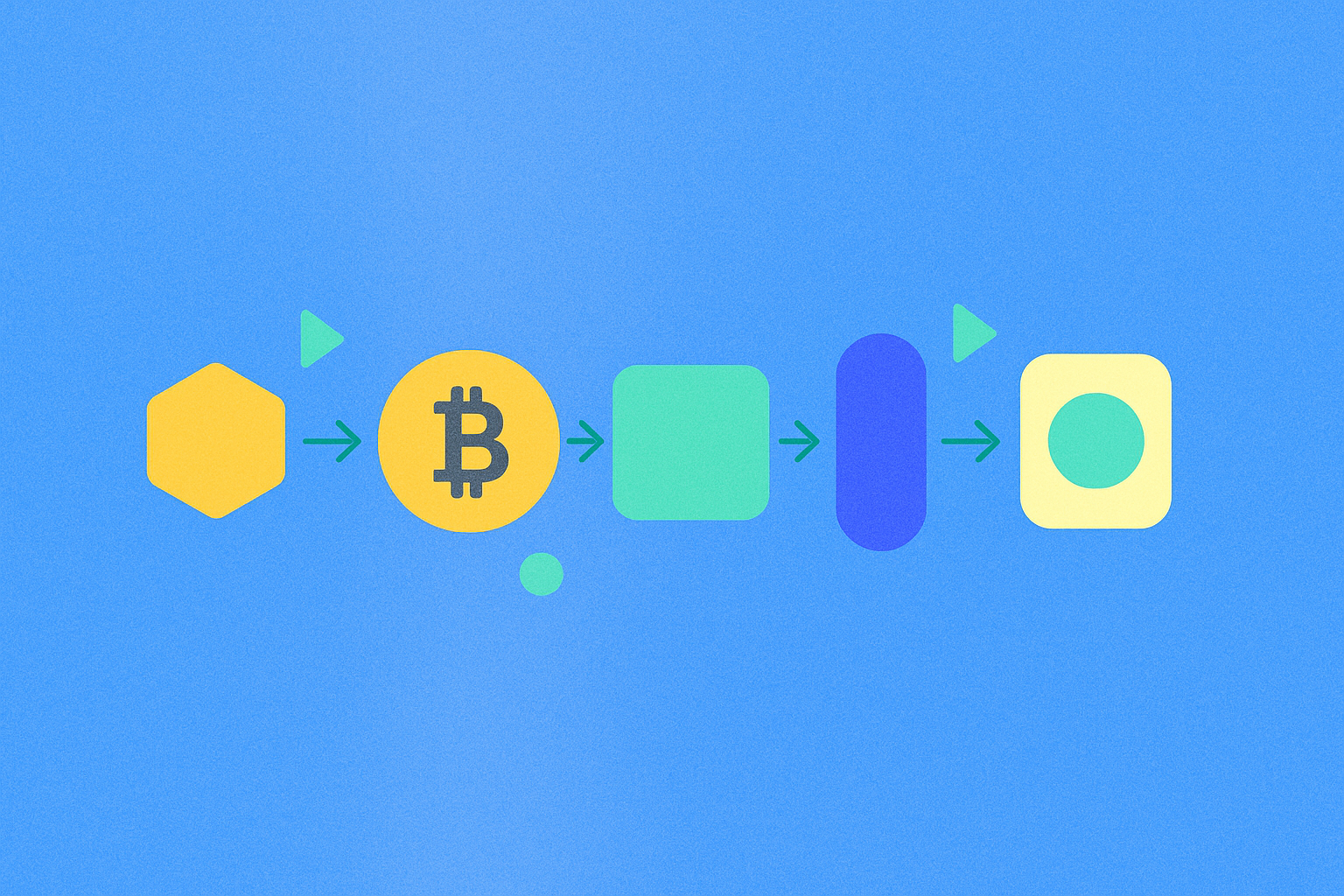
Transferring funds from MetaMask to PayPal requires a multi-step approach that bridges the gap between decentralized cryptocurrency wallets and traditional payment systems. Since MetaMask operates on blockchain technology and PayPal functions as a centralized payment platform, direct transfers are not possible. Instead, you'll need to utilize a cryptocurrency exchange as an intermediary.
The complete process involves several critical stages that must be executed carefully:
- Connecting Your MetaMask Wallet: First, you'll transfer your digital assets from your MetaMask wallet to a centralized cryptocurrency exchange platform.
- Converting Crypto to Fiat Currency: Once your assets arrive at the exchange, you'll sell your cryptocurrency for traditional fiat currency such as USD, EUR, or other supported currencies.
- Withdrawing to Bank Account: After converting to fiat, you'll withdraw the funds from the exchange to your linked bank account.
- Transferring to PayPal: Finally, you'll move the money from your bank account to your PayPal balance.
Each step in this process involves specific procedures, potential fees, and waiting periods. Understanding these elements beforehand will help you minimize costs and avoid common pitfalls that could result in delays or loss of funds.
Step 1: Set Up Your Accounts
Before initiating any transfers, you must ensure that all necessary accounts are properly configured and verified. This preparation phase is crucial for a smooth transaction experience.
Required Accounts
-
MetaMask Wallet: If you haven't already established your MetaMask wallet, you'll need to download the browser extension or mobile app and complete the setup process. MetaMask serves as your primary gateway to Ethereum and ERC-20 tokens, providing secure storage and transaction capabilities for your digital assets.
-
Cryptocurrency Exchange Account: Select a reputable exchange platform that supports fiat withdrawals to your region. Major trading platforms offer varying fee structures, withdrawal methods, and processing times. When choosing an exchange, consider factors such as:
- Supported withdrawal methods and currencies
- Fee structures for trading and withdrawals
- Verification requirements and processing times
- Security features and reputation
- Customer support availability
-
PayPal Account: Ensure your PayPal account is fully verified and connected to a valid bank account. This connection is essential for the final transfer step. Verify that your account is in good standing and has no restrictions that might prevent incoming transfers.
Verification Requirements
Most cryptocurrency exchanges require identity verification (KYC - Know Your Customer) before allowing withdrawals. This process typically involves submitting government-issued identification and proof of address. Complete this verification early to avoid delays when you're ready to withdraw funds.
Step 2: Transfer Funds to a Crypto Exchange
Once all accounts are prepared, you can begin the process of moving your cryptocurrency from MetaMask to a centralized exchange platform.
Detailed Transfer Process
-
Access Your Exchange Account: Log into your cryptocurrency exchange platform and navigate to the deposit or wallet section. This area typically displays all supported cryptocurrencies and their respective deposit addresses.
-
Select the Correct Asset: Choose the specific cryptocurrency you wish to transfer, such as Ethereum (ETH) or other ERC-20 tokens. Ensure you select the exact token type, as sending the wrong asset to an incompatible address can result in permanent loss.
-
Copy the Deposit Address: The exchange will provide a unique deposit address for the selected cryptocurrency. This alphanumeric string serves as the destination for your transfer. Some platforms also provide a QR code for easier copying.
-
Open Your MetaMask Wallet: Launch the MetaMask extension or mobile app and ensure you're connected to the correct network (usually Ethereum Mainnet). Select the account containing the funds you wish to transfer.
-
Initiate the Transfer: Click the 'Send' button within MetaMask, paste the deposit address from your exchange, and enter the amount you wish to transfer. Review the transaction details carefully, including:
- Recipient address accuracy
- Transfer amount
- Gas fees (network transaction costs)
- Estimated completion time
Important Safety Considerations
Always double-check the deposit address before confirming the transaction. Cryptocurrency transfers are irreversible, and sending funds to an incorrect address typically results in permanent loss. Consider sending a small test amount first to verify the address is correct before transferring larger sums.
Network congestion can affect transaction times and fees. During periods of high activity, gas fees may increase significantly. Monitor network conditions and consider timing your transfer during off-peak hours to minimize costs.
Step 3: Convert Crypto to Fiat
After your cryptocurrency successfully arrives at the exchange (which may take several minutes to hours depending on network congestion), you can proceed to convert it into traditional fiat currency.
Executing the Conversion
-
Locate the Trading Section: Navigate to the exchange's trading interface and find the appropriate trading pair. For example, if you transferred Ethereum, look for ETH/USD, ETH/EUR, or other relevant pairs depending on your preferred currency.
-
Choose Order Type: Most exchanges offer different order types:
- Market Order: Executes immediately at the current market price, providing speed but potentially less favorable rates
- Limit Order: Allows you to set a specific price at which you want to sell, providing better control but requiring patience
-
Execute the Sale: Enter the amount of cryptocurrency you wish to sell and review the estimated fiat amount you'll receive after fees. Confirm the transaction and wait for execution.
Understanding Fees and Rates
Exchange fees vary significantly between platforms and can include:
- Trading fees (typically 0.1% to 0.5% per transaction)
- Spread costs (the difference between buy and sell prices)
- Withdrawal fees (applied when moving fiat to your bank)
These fees can accumulate, so factor them into your calculations when determining how much cryptocurrency to sell. Some platforms offer reduced fees for higher trading volumes or when using their native tokens.
Step 4: Withdraw to Your Bank Account
With your cryptocurrency converted to fiat currency, you can now withdraw these funds to your linked bank account.
Withdrawal Process
-
Navigate to Withdrawal Section: Within your exchange account, locate the withdrawal or cash-out section. This area typically displays available balances and withdrawal methods.
-
Select Bank Transfer: Choose your verified bank account as the withdrawal destination. If you haven't added a bank account yet, you'll need to complete this step first, which may require additional verification.
-
Enter Withdrawal Details: Specify the amount you wish to withdraw and review any applicable fees. Most exchanges charge a flat fee or percentage for bank withdrawals.
-
Confirm and Submit: Double-check all details and submit your withdrawal request. The exchange may require additional security verification, such as email confirmation or two-factor authentication.
Processing Times and Considerations
Bank transfer processing times vary depending on:
- Exchange processing policies (typically 1-5 business days)
- Banking hours and holidays
- Domestic vs. international transfers
- Additional security reviews for large amounts
Some exchanges offer expedited withdrawal options for higher fees. Plan accordingly if you need funds by a specific date.
Step 5: Transfer Money to PayPal
The final step involves moving funds from your bank account to your PayPal balance, making them available for online purchases or further transfers.
PayPal Transfer Process
-
Access PayPal Account: Log into your PayPal account through the website or mobile app. Ensure you're using a secure connection and verified device.
-
Initiate Transfer: Navigate to the 'Wallet' section and select 'Transfer Money' or 'Add Money' option. These features allow you to pull funds from your linked bank account.
-
Select Bank Account: Choose the bank account that received your exchange withdrawal. If multiple accounts are linked, ensure you select the correct one.
-
Enter Amount and Confirm: Specify the amount you wish to transfer to PayPal and review the details. PayPal typically doesn't charge fees for standard bank transfers, though expedited options may incur costs.
Transfer Timeline
Standard bank-to-PayPal transfers usually take 3-5 business days to complete. PayPal offers instant transfer options for a small fee (typically 1-1.5% of the transfer amount) if you need immediate access to funds.
Once the transfer completes, your funds will appear in your PayPal balance and can be used for online purchases, sent to other PayPal users, or withdrawn to other linked accounts.
Summary
Successfully transferring funds from MetaMask to PayPal requires understanding and navigating multiple financial systems. This process demonstrates how decentralized finance (DeFi) and traditional payment platforms can work together, despite their fundamental differences.
Throughout this journey, maintaining vigilance about security, transaction fees, and processing times is essential. Each step presents potential costs and waiting periods that should be factored into your planning:
- Network gas fees for blockchain transactions
- Exchange trading and withdrawal fees
- Bank transfer costs and timing
- Potential PayPal transfer fees for expedited service
By following this comprehensive guide, you can confidently convert your cryptocurrency holdings into accessible fiat currency within your PayPal account. This capability bridges the gap between your digital assets and everyday spending power, allowing you to leverage your cryptocurrency investments in practical ways.
Remember to keep detailed records of all transactions for tax purposes, as cryptocurrency conversions and sales may have reporting requirements in your jurisdiction. Consider consulting with a financial advisor or tax professional to ensure compliance with local regulations.
This multi-step process, while initially complex, becomes more straightforward with experience. As the cryptocurrency ecosystem continues to evolve, we may see more direct integration between decentralized wallets and traditional payment systems, potentially simplifying this process in the future. Until then, understanding these intermediary steps empowers you to manage your digital wealth effectively across both blockchain and conventional financial platforms.
FAQ
How do I withdraw money from MetaMask to PayPal step by step?
Connect MetaMask to a crypto exchange, sell your cryptocurrency for fiat currency, transfer funds to your bank account, then use a payment service to convert to PayPal. Direct MetaMask-to-PayPal withdrawal is not available.
What are the fees and exchange rates when withdrawing from MetaMask to PayPal?
Withdrawal fees typically range from 1-2% of transaction amount. Exchange rates fluctuate based on market conditions. Check MetaMask's official platform for current real-time rates and exact fees before withdrawing.
Which cryptocurrencies can I convert and withdraw from MetaMask to PayPal?
Currently, Ethereum is the primary cryptocurrency supported for conversion and withdrawal from MetaMask to PayPal. Other cryptocurrencies may have limited or no direct support for this specific withdrawal pathway.
How long does it take to receive money from MetaMask withdrawal to PayPal?
Withdrawals from MetaMask to PayPal typically take several days. Processing time varies depending on network conditions and PayPal's verification procedures. Some transfers may complete faster, while others could take up to 3-5 business days.
What are the minimum and maximum withdrawal amounts from MetaMask to PayPal?
MetaMask does not set specific minimum or maximum withdrawal limits to PayPal. Withdrawal amounts depend on your account balance and PayPal's transaction limits. Network gas fees typically range up to $10, which affects your net withdrawal amount.
Is it safe to withdraw funds from MetaMask to PayPal? What security precautions should I take?
Yes, it is safe when done carefully. Use reputable platforms to convert crypto to fiat. Verify all account details before confirming transfers. Enable two-factor authentication. Double-check wallet addresses and watch for phishing links.
Do I need to verify my identity to withdraw from MetaMask to PayPal?
No, MetaMask will never ask for personal ID verification. Identity verification is typically required by PayPal, not MetaMask. Always be cautious of phishing attempts requesting your personal information.
What should I do if my MetaMask to PayPal withdrawal is stuck or delayed?
Try canceling the transaction in MetaMask first. If unsuccessful, wait for network congestion to clear. Contact PayPal support for additional help if the issue persists.
How to Withdraw from Revolut: A Complete Guide
Anonymous Crypto Debit Card Solutions

Easy Guide: How to Convert Telegram Stars to TON Cryptocurrency
Anonymous Bitcoin Debit Card Option
What Are Stablecoins? A Comprehensive Beginner's Guide to Stable Cryptocurrencies

Mastering Web3 Cryptocurrency Management: A Comprehensive Guide
How Will NOVA Price Volatility Evolve in 2026: Historical Trends and Support Resistance Levels Analysis
How can on-chain data analysis predict crypto market trends and trading strategies?

How do derivatives market signals predict crypto price movements: futures open interest, funding rates, and liquidation data explained

What is Algorand (ALGO) fundamentals: Pure proof-of-stake consensus, whitepaper logic, and real-world use cases explained

What are the security risks and smart contract vulnerabilities in Algorand after the MyAlgo wallet attack that cost $8.5 million?