
fomox
MarketsPerpsSpotSwap
Meme
Referral
More
Search Token/Wallet
/

How to Download and Use a Web3 Wallet Browser Extension

2026-01-11 23:10:10
Crypto Tutorial
DeFi
GameFi
Web 3.0
Web3 wallet
Article Rating : 4.5
half-star
150 ratings
This comprehensive guide walks you through setting up a crypto wallet browser extension, designed for both beginners and experienced Web3 users. It covers the installation process across Chromium-based browsers, wallet creation or import options, and security setup including password protection and seed phrase backup. The guide demonstrates how to connect your wallet to decentralized applications on EVM-compatible blockchains including BNB Chain and Polygon through Gate exchange ecosystem. It highlights key benefits such as seamless browser integration, enhanced security with local private key storage, multi-chain support, and quick one-click DApp access. The FAQ section addresses common concerns about wallet selection, security best practices, transaction handling, and recovery procedures, ensuring users can confidently navigate the Web3 ecosystem with their browser extension wallet.
How to Download and Use a Web3 Wallet Browser Extension

Overview of the Browser Extension Wallet

A leading crypto wallet platform has launched its browser extension wallet version 2.0, featuring comprehensive optimizations in brand visuals and performance. This update significantly enhances the interaction fluidity of the wallet's global functions, while further strengthening security measures to protect user assets.

New users can download the latest extension from the official website, while existing users can upgrade directly after logging into their browser extension wallet. Once installed, users can quickly access and connect to various Web3.0 applications through the web interface, enabling seamless interaction with decentralized ecosystems.

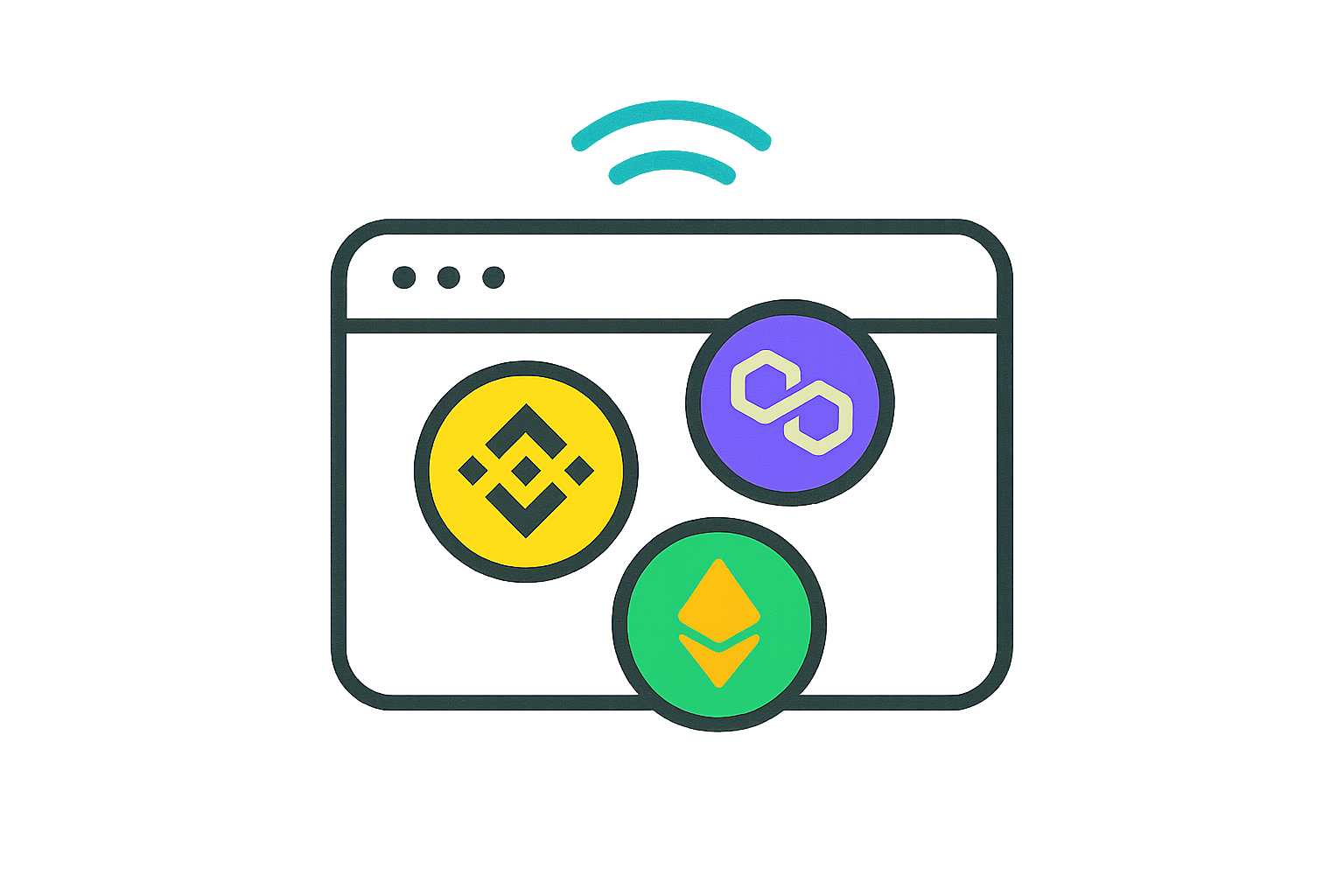
Currently, the extension supports DApp connections across all EVM-compatible chains, including BNB Chain, Arbitrum, Polygon, and other major blockchain ecosystems. This broad compatibility ensures users can explore diverse decentralized applications without switching between multiple wallet solutions.

Installation and Setup Process

Setting up your browser extension wallet is straightforward and can be completed in just a few minutes. Follow these detailed steps to get started:

Step 1: Download the Extension Visit the official wallet website and click the download button. You will be redirected to the Chrome Web Store, where you should click "Add to Chrome" to begin the installation. The extension is compatible with Chrome and other Chromium-based browsers such as Brave, Edge, and Opera.

Step 2: Create or Import a Wallet After successful installation, you'll have two options: "Create a Wallet" to generate a new crypto wallet, or "Import a Wallet" to restore an existing wallet using your recovery phrase. This flexibility allows both new users and experienced crypto enthusiasts to get started quickly.

Step 3: Set Up Your Security Password For this guide, we'll demonstrate creating a new wallet. Select "Create a Wallet" and then set a strong login password. This password will be required each time you access your wallet, so choose something secure yet memorable. Click "Next" to proceed.

Step 4: Backup Your Recovery Phrase You can follow the guided process to backup your seed phrase immediately, or click "Backup Later" to first explore the wallet interface and complete the backup at a more convenient time. However, we strongly recommend backing up your recovery phrase as soon as possible, as this is the only way to restore your wallet if you lose access to your device.

Step 5: Pin the Extension to Your Browser For convenient access, we recommend clicking the extensions icon in your browser toolbar and pinning the wallet extension. This ensures the wallet icon remains visible, making it easier to connect to DApps and manage your assets without navigating through multiple menus.

Step 6: Start Exploring Once setup is complete, click "Start Exploring" to begin using your browser extension wallet. You'll be able to add custom networks, manage tokens, execute transfers, and interact with various decentralized applications across multiple blockchain networks.

Step 7: Customize Your Wallet Settings After logging into the wallet, you can perform various operations including adding mainnets or tokens, making transfers, and managing your portfolio. Additionally, click the "Discover" section to personalize your extension wallet settings, such as adjusting gas fee preferences, enabling transaction notifications, and configuring security options.

Connecting and Accessing DApps

Once your wallet is properly configured and you're logged in, you can quickly access and utilize different decentralized applications. Here's a detailed walkthrough using a popular GameFi project as an example:

Step 1: Navigate to the DApp Website Open the official website of your chosen decentralized application. Look for the wallet connection option, typically located in the top-right corner of the interface. Click on "Wallet" or "Connect Wallet" to initiate the connection process.

Step 2: Select Your Wallet Provider In the connection popup window, you'll see various wallet options. Look for and click on your crypto wallet's icon to proceed with the connection. The DApp will request permission to view your wallet address and interact with your assets.

Step 3: Authorize the Connection In the authorization popup, carefully review the permissions being requested. Click "Connect" to grant access. If the DApp operates on a specific blockchain network (such as BNB Chain), you may need to click "Approve" to switch networks. Review the network details and select "Agree" to complete the network change.

Important Security Note: Always verify you're on the legitimate DApp website before connecting your wallet. Check the URL carefully and ensure the site uses HTTPS encryption. Never share your recovery phrase or private keys with any DApp or website.

Step 4: Confirm Successful Connection Once connected successfully, the DApp's interface will display your wallet address in the top-right corner, confirming the active connection. You can now safely interact with various features within the decentralized application, such as trading tokens, participating in liquidity pools, or engaging with GameFi mechanics.

Benefits of Using a Browser Extension Wallet

Using a browser extension wallet provides several advantages for Web3 users:

Seamless Integration: The extension integrates directly into your browser, eliminating the need to switch between applications when interacting with DApps.

Enhanced Security: Browser extension wallets keep your private keys stored locally on your device, providing better security than web-based wallets while maintaining convenience.

Multi-Chain Support: With support for numerous blockchain networks, you can manage assets across different ecosystems from a single interface.

Quick Access: Once installed and pinned to your browser, accessing your wallet and connecting to DApps takes just one click, streamlining your Web3 experience.

Now you can use your crypto wallet browser extension to securely and easily interact with various features across decentralized applications, exploring the full potential of the Web3 ecosystem.

FAQ

Popular Web3 wallet extensions include MetaMask, Wallet Connect, and Brave Wallet. Choose based on supported chains, security features, user interface, and your preferred blockchain ecosystem. Consider security reputation and community reviews before selecting.

How do I safely download and install a Web3 wallet extension in my browser?

Visit the official wallet website or your browser's extension store. Verify the developer's authenticity and read user reviews. Download from official sources only, then enable the extension and follow setup instructions carefully. Never share your private keys or seed phrases.

What should I do after installing a Web3 wallet extension to secure my account?

Create a strong password, write down your seed phrase securely offline, enable two-factor authentication if available, verify the official extension URL, and never share your private keys or seed phrase with anyone.

How do I connect my Web3 wallet extension to different blockchain networks?

Open your wallet extension settings, locate the network selector, and choose your desired blockchain from the dropdown menu. You can also add custom networks by entering the RPC URL, chain ID, and currency details manually.

How do I send and receive cryptocurrency using a Web3 wallet extension?

To send crypto, click 'Send', enter the recipient's address, specify the amount, and confirm the transaction. To receive, share your wallet address or QR code. The extension handles all blockchain interactions securely.

Is it safe to use a Web3 wallet browser extension and what are the security risks?

Web3 wallet extensions are generally safe when used properly. Main risks include phishing attacks, malicious extensions, and private key exposure. Mitigation: only download from official sources, enable security features, never share recovery phrases, and keep software updated.

How do I import or restore my existing wallet into a browser extension?

Open the extension and select 'Import Wallet' or 'Restore'. Enter your seed phrase or private key in the correct order. Set a secure password and confirm. Your wallet will sync with the extension instantly.

What should I do if I forget my Web3 wallet password or seed phrase?

Unfortunately, Web3 wallets are non-custodial, meaning no one can recover your password or seed phrase. Always store your seed phrase securely offline. If lost, your funds are inaccessible. Create a new wallet and transfer assets if you still have access to your account.

* The information is not intended to be and does not constitute financial advice or any other recommendation of any sort offered or endorsed by Gate.

Share

Content

Overview of the Browser Extension Wallet

Installation and Setup Process

Connecting and Accessing DApps

Benefits of Using a Browser Extension Wallet

FAQ

Related Articles
Effortless MetaMask Wallet Setup Guide

Effortless MetaMask Wallet Setup Guide

The article provides a clear and detailed guide on setting up and using MetaMask, a popular self-custodial cryptocurrency wallet. It explores the wallet's features, such as secure crypto storage, easy crypto transactions, and integration with Ethereum ecosystem dApps. This guide addresses both newcomers and seasoned crypto users interested in decentralized finance and NFTs. Key topics include downloading the wallet, securing your seed phrase, and maximizing your wallet's functionality. With a focus on readability and keyword optimization, the article serves as an efficient resource for understanding and utilizing MetaMask.
2025-11-30 06:51:37
Guide to Integrating Avalanche Network with Your Digital Wallet
Guide to Integrating Avalanche Network with Your Digital Wallet

This article provides a detailed guide on integrating the Avalanche Network with MetaMask to enhance digital asset management and access innovative blockchain features. It addresses the need for existing MetaMask wallets to streamline asset handling and explores switching to the Avalanche Network for faster transactions and reduced fees. The step-by-step instructions facilitate easy integration, benefiting users interested in DeFi, gaming, NFTs, and more. Secure practices and continuous network updates ensure optimal use, empowering readers to leverage Avalanche's capabilities effusively.
2025-12-07 09:00:54
Exploring WalletConnect: A Step-by-Step Guide to Connecting with Web3
Exploring WalletConnect: A Step-by-Step Guide to Connecting with Web3

Explore the essential tool WalletConnect that facilitates secure connections between cryptocurrency wallets and decentralized applications (dApps). This comprehensive guide provides step-by-step instructions on using WalletConnect, addressing common issues, and offering security practices to ensure safe interactions within the Web3 ecosystem. Learn about its applications in trading, NFTs, and DeFi, all while maintaining asset control and privacy. Designed for users seeking to optimize their Web3 experience, this article enhances your ability to efficiently manage digital assets while prioritizing security.
2025-12-19 19:51:35
Guide to Setting Up a Secure Web3 Wallet with MetaMask
Guide to Setting Up a Secure Web3 Wallet with MetaMask

# Guide to Setting Up a Secure Web3 Wallet with MetaMask **Introduction** This comprehensive guide walks you through establishing a secure MetaMask wallet, the industry-leading non-custodial Web3 wallet trusted by millions since 2016. Learn how to download, install, and configure MetaMask across multiple devices while maintaining complete control over your private keys and digital assets. Perfect for both cryptocurrency beginners and experienced users, this guide covers essential security practices, including password protection and recovery phrase management. Discover why MetaMask's multi-blockchain compatibility with EVM networks makes it the ideal solution for accessing decentralized applications on Gate and beyond. Whether you're new to crypto or migrating existing wallets, follow our step-by-step setup process to establish a reliable foundation for secure asset management and Web3 interaction.
2025-12-26 21:14:28
Anonymous Crypto Debit Card Solutions
Anonymous Crypto Debit Card Solutions

Explore the transformative potential of "Anonymous Crypto Debit Card Solutions" in financial privacy. This article discusses crypto cards without KYC, emphasizing enhanced privacy and instant activation, while maintaining user control over assets in a decentralized landscape. Key benefits include reduced risk of identity theft and usability in jurisdictions with strict regulations. Limitations such as low spending limits and potential legal risks are addressed. It's crucial for privacy-focused users to balance anonymity with regulatory challenges, ensuring informed decisions for secure and compliant crypto spending.
2025-12-21 11:30:30
Introduction to MetaMask: A Beginner's Guide to Crypto Wallets

Introduction to MetaMask: A Beginner's Guide to Crypto Wallets

This article serves as a comprehensive introduction to MetaMask, highlighting its role as a prominent self-custodial crypto wallet for managing Ethereum and compatible assets. It covers key aspects like secure storage, dApp integration, and efficient fiat-to-crypto transactions. Ideal for newcomers and seasoned crypto traders, the guide addresses essential setup, use, and security protocols, stressing MetaMask's control over private keys and security vigilance against scams. Structured to offer clear insights, it emphasizes the wallet's significance in accessing DeFi, NFTs, and Web3 applications.
2025-12-18 15:10:06
Recommended for You
What is token economics model and how do allocation, inflation, and burn mechanisms work
What is token economics model and how do allocation, inflation, and burn mechanisms work

This comprehensive guide explores token economics fundamentals, examining how allocation, inflation, and burn mechanisms work together to sustain cryptocurrency ecosystems. Learn optimal distribution ratios across team (20-30%), investors (20-30%), and community (40-60%) segments that establish long-term viability. Discover how emission schedules control inflation while burn mechanisms reduce circulating supply through transaction fees and governance actions. Understand governance tokenomics frameworks that align holder incentives with protocol decisions through voting rights and reward distributions. Whether you're a crypto investor, project builder, or enthusiast, this article provides actionable insights into designing sustainable token models and assessing tokenomics health across Gate and other trading platforms.
2026-01-12 01:33:56
How does Federal Reserve policy and inflation impact crypto prices in 2026
How does Federal Reserve policy and inflation impact crypto prices in 2026

This comprehensive guide examines how Federal Reserve monetary policy and inflation dynamics shape cryptocurrency valuations in 2026. The article explores three critical mechanisms: Fed rate decisions' direct impact on Bitcoin and Ethereum through opportunity cost and market sentiment; CPI data's transmission channel that reshapes investor risk perception and capital allocation; and traditional-crypto correlations with S&P 500 and gold prices. By analyzing these interconnected relationships, investors gain essential macroeconomic literacy for understanding digital asset price movements. The guide demonstrates that crypto markets respond predictably to Fed policy signals and inflation expectations, enabling traders to anticipate price fluctuations through traditional financial indicators. Practical strategies include portfolio diversification across Bitcoin, stablecoins, and yield-bearing tokens to mitigate inflation risks in 2026's evolving monetary environment.
2026-01-12 01:32:23
Chainbase Airdrop Guide: How to Participate and Claim $C Rewards

Chainbase Airdrop Guide: How to Participate and Claim $C Rewards

This comprehensive guide simplifies Chainbase ($C) airdrop participation for Web3 users seeking to earn tokens while engaging with decentralized data infrastructure. Chainbase is a Web3 data infrastructure platform providing real-time blockchain data access across multiple networks, addressing critical accessibility needs for developers and dApps. The guide covers essential steps: verifying airdrop eligibility, accumulating points through platform engagement and on-chain activities, connecting compatible Web3 wallets, and claiming token allocations during designated windows. With 1 billion total $C tokens distributed across community incentives (40%), airdrops (13%), and ecosystem development, participants can maximize rewards through consistent engagement, referral programs, and strategic interaction with Chainbase-integrated protocols. The platform's listing on major exchanges including Gate provides immediate trading liquidity. This guide equips users with actionable strategies to secure airdrop allocation
2026-01-12 01:31:41
What is the fundamental analysis of a cryptocurrency project: whitepaper logic, use cases, and technical innovation explained
What is the fundamental analysis of a cryptocurrency project: whitepaper logic, use cases, and technical innovation explained

This comprehensive guide explores fundamental analysis of cryptocurrency projects through four critical dimensions. First, understand whitepaper core logic by evaluating the project's value proposition, technical architecture, and whether promises align with actual implementation. Second, assess real-world use cases across industries through measurable metrics like daily active users, transaction volume, and enterprise partnerships. Third, analyze technical innovation and protocol differentiators that provide sustainable competitive advantages over existing solutions. Finally, evaluate team credentials, leadership track record, and roadmap execution capability to gauge delivery probability. By systematically examining these factors alongside transparent communication and verified milestones, investors can distinguish genuinely viable projects from speculative alternatives, making more informed decisions on platforms like Gate.
2026-01-12 01:30:38
What is the difference between top cryptocurrency competitors in market cap and performance metrics for 2026

What is the difference between top cryptocurrency competitors in market cap and performance metrics for 2026

This comprehensive analysis examines the competitive cryptocurrency landscape in 2026, comparing market cap rankings, performance metrics, and technological differentiation among leading digital assets. Bitcoin and Ethereum maintain market dominance, yet emerging altcoins like Cardano increasingly capture investor attention through distinctive technological architectures and ecosystem development. The article evaluates critical performance indicators including trading volume, price volatility, and 24-hour returns across major exchanges like Gate, revealing how real-time market dynamics influence competitive positioning. Through exploring market share evolution and differentiation strategies, this guide helps investors and traders understand how leading cryptocurrency platforms leverage unique consensus mechanisms, smart contract capabilities, and layered architectures to establish competitive advantages. Whether analyzing volatility patterns, evaluating transaction efficiency, or assessing technological innov
2026-01-12 01:28:50
What Are Crypto Derivatives Market Signals and How Do Futures Open Interest, Funding Rates, and Liquidation Data Predict Price Movements

What Are Crypto Derivatives Market Signals and How Do Futures Open Interest, Funding Rates, and Liquidation Data Predict Price Movements

This comprehensive guide explores how professional traders leverage derivatives market signals to anticipate cryptocurrency price movements. The article examines five critical metrics: futures open interest measuring contract activity levels, funding rates revealing leverage costs, long-short ratios displaying sentiment balance, liquidation data indicating forced position closures, and options open interest showing derivative leverage concentrations. Each metric independently provides market insights, but their true power emerges when analyzed collectively. Rising open interest alongside elevated positive funding rates and extreme long-short ratios signals system vulnerability to sharp corrections. Large liquidation cascades at key price levels reveal where concentrated positions cluster. On platforms like Gate, traders who integrate multi-signal analysis—comparing all five metrics simultaneously—dramatically improve signal reliability and reduce false positives. The guide demonstrates how conflicting signals
2026-01-12 01:27:04