Optimal Solutions for Managing Your ERC-20 Ethereum Tokens Safely
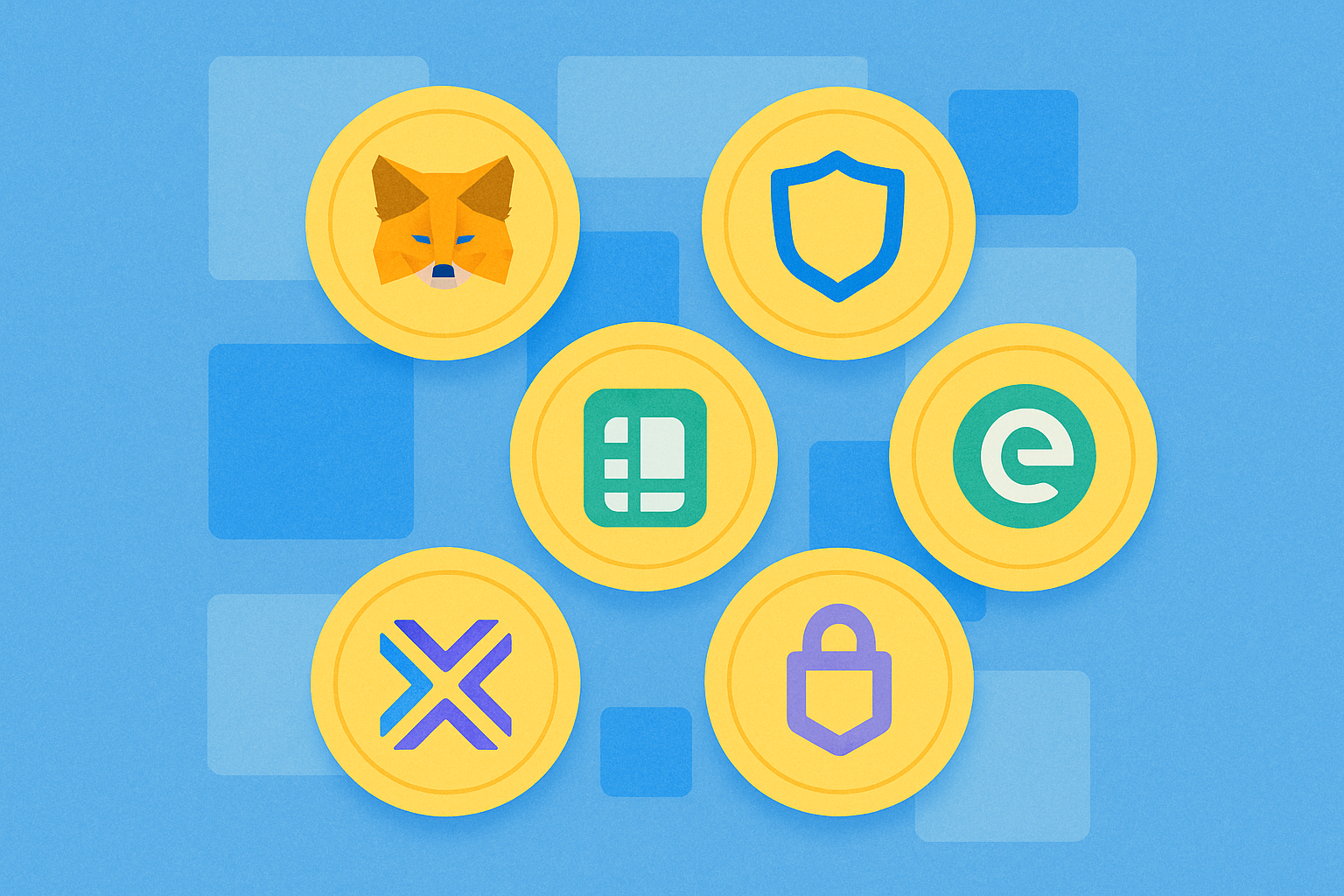
The 7 Best ERC-20 Wallets of 2025: Store and Manage Your Ethereum Tokens
ERC-20 tokens are a fundamental part of the Ethereum blockchain, playing a crucial role in its ecosystem. They follow a set of standardized rules that enable seamless interactions between tokens and smart contracts on the Ethereum network. This standardization has led to widespread adoption of ERC-20 tokens for various purposes, including facilitating transactions, creating decentralized applications (dApps), and enabling decentralized finance (DeFi) services.
This article guides you through selecting the best ERC-20 wallet for 2025, ensuring that your Ethereum tokens are stored securely and efficiently. Understanding the right ERC-20 wallet options is essential for anyone managing cryptocurrency assets on the Ethereum network.
What are ERC-20 Tokens?
ERC-20 tokens are a standardized type of cryptocurrency created on the Ethereum blockchain, following a specific set of rules defined in the Ethereum Request for Comment 20 (ERC-20) standard. This standard ensures that all tokens created using ERC-20 are fungible and interoperable with various services and applications on the Ethereum network. ERC-20 tokens can represent a variety of digital assets, including cryptocurrencies, utility tokens, and stablecoins.
These tokens are widely used in decentralized finance (DeFi) applications, governance systems, and for transactions within the Ethereum ecosystem. The widespread adoption of ERC-20 tokens has significantly contributed to the growth and versatility of the Ethereum network, enabling developers to create and manage tokens with consistent functionality and compatibility across the platform.
What is an ERC-20 Wallet?
An ERC-20 wallet is a type of cryptocurrency wallet that supports ERC-20 tokens, which are tokens built on the Ethereum blockchain. These wallets allow you to securely store, manage, and interact with your ERC-20 tokens. ERC-20 wallets can be classified into three main types:
Hardware Wallets: These are physical devices that store your private keys offline, offering the highest level of security. Examples include Ledger Nano X and Trezor Model T. Hardware wallets are ideal if you prioritize security and don't mind managing a physical device.
Software Wallets: These are applications that you can install on your computer or mobile device. They offer a good balance between security and convenience. MetaMask and MyEtherWallet (MEW) are popular software wallets for managing ERC-20 tokens. They are suitable for users who want to access their tokens quickly and easily while maintaining robust security features.
Mobile Wallets: These are applications designed specifically for smartphones and tablets. They provide access to your ERC-20 tokens on the go. Trust Wallet and MetaMask (mobile version) are examples. Mobile wallets are perfect if you need to manage your tokens frequently and seek a user-friendly interface.
MetaMask
MetaMask is a popular non-custodial ERC-20 wallet launched in 2016 by ConsenSys. It enables users to store, manage, and interact with Ethereum-based assets and dApps. MetaMask began as a browser extension but now also offers a mobile application, making it accessible across multiple platforms. With millions of active users, MetaMask has become one of the leading ERC-20 wallets for those participating in DeFi, NFTs, and other Web3 activities.
The primary features of MetaMask include a secure key store, user-friendly interface, and the ability to buy, sell, and exchange tokens directly within the wallet. It also supports NFT storage and interaction with numerous dApps. Additionally, MetaMask supports a wide variety of Ethereum tokens and can connect to various blockchains. However, it has some limitations, such as lack of support for non-Ethereum-based tokens like Bitcoin and absence of a dedicated desktop application. Users must exercise caution in protecting their seed phrases and private keys to avoid fund loss.
Trust Wallet
Trust Wallet, founded in 2017, is a non-custodial wallet that gives you complete control over your private keys and digital assets. Trust Wallet supports over 65 blockchains and millions of digital assets, including cryptocurrencies and NFTs. It is available as a mobile application for iOS and Android, and also as a browser extension. With a straightforward setup process, Trust Wallet enables you to buy, sell, exchange, and stake various cryptocurrencies directly from the application. As a versatile ERC-20 wallet option, Trust Wallet makes it easy to manage Ethereum tokens and other blockchain assets. The platform has millions of active users worldwide.
Key features of Trust Wallet include support for a large number of blockchains and tokens, an integrated decentralized exchange interface, and multiple staking options. You can manage NFTs and easily interact with dApps through this ERC-20 wallet. However, it has some disadvantages. Trust Wallet does not offer two-factor authentication or multisignature support, which may be a concern for some users. Additionally, the source code availability varies across platforms. Despite these limitations, Trust Wallet remains a solid option for those wanting to manage a diverse portfolio of digital assets in a user-friendly application.
Ledger Nano X
The Ledger Nano X is a next-generation hardware wallet launched by Ledger in 2019, designed to provide maximum security for your ERC-20 tokens and cryptocurrency assets. One of its standout features is Bluetooth connectivity, which allows you to manage your assets on the move using your smartphone. The Ledger Nano X supports over 5,500 digital assets, including popular cryptocurrencies, ERC-20 tokens, and NFTs. You can use the Ledger Live application to buy, sell, exchange, and stake your cryptocurrencies directly from the wallet. The device offers robust security features, including a Certified Secure Element, and supports multisignature security through integration with compatible platforms.
The Ledger Nano X is popular among cryptocurrency enthusiasts for its combination of security and convenience when managing ERC-20 tokens. It features a user-friendly setup process and a display for easy navigation. The device is highly valued for its extensive support of various blockchain assets and its ability to integrate seamlessly with both desktop and mobile applications. With a price of approximately $149, it offers significant value for users seeking a secure and versatile hardware wallet for storing ERC-20 tokens.
MyEtherWallet (MEW)
MyEtherWallet (MEW) is a free, open-source, client-side interface that allows you to interact directly with the Ethereum blockchain. Founded in 2015, MEW gained significant popularity as a reliable ERC-20 wallet, especially for those seeking to manage Ethereum tokens. With millions of users worldwide, MEW is compatible with several Ethereum-compatible networks, including Ethereum, Ethereum Classic, and other blockchain platforms. MEW is available as a web wallet, a mobile application for iOS and Android, and a browser extension called Enkrypt, offering a versatile and complete user experience for ERC-20 wallet management.
MEW offers several key features, such as the ability to store, send, and receive ETH, ERC-20 tokens, and NFTs. You can also exchange tokens within the wallet and perform cross-chain swaps. Additionally, MEW allows you to interact with dApps, manage your NFT collection, and stake ETH. Despite its robust feature set, MEW has some disadvantages, such as limited support for non-Ethereum-based altcoins and susceptibility to phishing attacks. It is crucial to follow best security practices, such as using hardware wallets in conjunction with MEW and verifying URLs, to protect your assets while using this ERC-20 wallet.
Exodus Wallet
Exodus Wallet, founded in 2015 by JP Richardson and Daniel Castagnoli, is a multi-platform wallet known for its user-friendly design and robust features. The wallet is compatible with over 300 cryptocurrencies, including ERC-20 tokens, Bitcoin, and NFTs. You can access Exodus on desktop, mobile, and as a browser extension, making it a highly versatile ERC-20 wallet option. The wallet's intuitive interface is designed to facilitate managing your crypto assets, even for beginners. It offers in-app exchanges, staking, and the ability to purchase cryptocurrencies with fiat currency through third-party services. Exodus also connects with hardware wallets for enhanced security.
Key features of Exodus include its elegant design, comprehensive support for a wide range of cryptocurrencies including ERC-20 tokens, and integration with DeFi and Web3 applications. However, it has some limitations. While it excels in usability, it lacks advanced security features such as two-factor authentication and multisig support. Additionally, the software is not completely open source, which may concern users who prefer transparent systems. Despite these drawbacks, Exodus remains a popular choice for ERC-20 wallet management due to its convenience and extensive functionality.
Trezor Model T
The Trezor Model T is a premium hardware wallet developed by SatoshiLabs and launched in 2018, designed to provide top-tier security for managing cryptocurrencies and ERC-20 tokens. Featuring a color touchscreen, the Model T is easy to use, facilitating navigation through your crypto assets. It is compatible with over 1,000 cryptocurrencies, including popular ones like Bitcoin, Ethereum, and ERC-20 tokens. Trezor's commitment to open-source software allows its code to be reviewed and tested by anyone, enhancing transparency of its security features.
The Trezor Model T includes several advanced security features. The Shamir Backup system allows you to divide your recovery phrase into multiple parts, increasing security by requiring several pieces to recover your wallet. Additionally, it supports Universal 2nd Factor authentication, adding an extra layer of security to your accounts. However, the Trezor Model T is more expensive than many competitors, with a price of approximately $179. It lacks Bluetooth support, which could be a disadvantage for some users seeking mobile flexibility. Despite these limitations, its extensive security features and support for numerous cryptocurrencies including ERC-20 tokens make it a solid option for protecting your digital assets.
How to Choose the Right ERC-20 Wallet
Choosing the right ERC-20 wallet is crucial for safely and easily managing your Ethereum tokens. Consider the following key factors:
Security Features: Ensure you have complete control over your private keys. Add additional security with multi-step verification. Hardware wallets store keys offline and reduce hacking risks. Verify that the ERC-20 wallet offers encryption options and secure backups.
Usability and Interface: ERC-20 wallets like MetaMask and Trust Wallet are known for their simple design. Choose wallets accessible on desktop, mobile, and web. Simple setup saves time and reduces errors.
DeFi and NFT Support: ERC-20 wallets like MetaMask and MyEtherWallet (MEW) integrate with various DeFi platforms. Trust Wallet and MetaMask support NFT functionalities.
Backup and Recovery: Securely store the seed phrase provided in a safe location. Some ERC-20 wallets offer encrypted cloud backups. Verify if customer support or recovery assistance is available.
How to Set Up Your ERC-20 Wallet
Setting up an ERC-20 wallet is straightforward and ensures your tokens remain secure. Here is a step-by-step guide using MetaMask as an example:
Setting Up MetaMask Step by Step
-
Download MetaMask: Visit the MetaMask website and click "Download". Choose the browser extension or mobile application based on your preference.
-
Install the Extension: For browser users, click "Add to Chrome" (or your preferred browser) and follow the instructions to install the extension.
-
Create a Wallet: Open MetaMask, click "Get Started", then "Create a Wallet". Accept the terms of service.
-
Set a Password: Create a strong password and click "Create".
-
Back Up Your Seed Phrase: MetaMask will display a 12-word seed phrase. Write it down and store it in a secure location. This phrase is crucial for recovering your ERC-20 wallet if you lose access.
-
Confirm Your Seed Phrase: Enter the seed phrase in the correct order to verify you've written it correctly.
-
Add Tokens: To add ERC-20 tokens, click "Import Tokens" and search for the token name or add it manually using the token contract address.
-
Start Using Your Wallet: Your MetaMask ERC-20 wallet is now set up. You can send and receive Ethereum and ERC-20 tokens, interact with dApps, and manage your digital assets securely.
Setting Up a Hardware ERC-20 Wallet: Ledger Nano X
As an example of a hardware wallet for managing ERC-20 tokens, consider the Ledger Nano X:
-
Purchase and Unbox: Buy a Ledger Nano X from the official website. Unbox your device.
-
Set Up Ledger Live: Download and install the Ledger Live application on your computer or mobile device.
-
Initialize the Device: Connect your Ledger Nano X via USB or Bluetooth. Follow the on-screen instructions to set up a PIN.
-
Back Up the Recovery Phrase: Record the 24-word recovery phrase provided by the device. Store it securely and offline.
-
Install Applications: Use Ledger Live to install the Ethereum application on your device for managing ERC-20 tokens.
-
Add Accounts: In Ledger Live, add an Ethereum account to manage your ERC-20 tokens.
-
Secure Transactions: Use the Ledger Nano X to sign transactions and manage your ERC-20 tokens with an additional layer of security.
Tips for Protecting Your ERC-20 Wallet
Use Strong Passwords: Strong passwords protect your ERC-20 wallet against unauthorized access. Complex passwords are harder to guess or crack, reducing the risk of your wallet being compromised by hackers. Always use complex passwords and change them regularly.
Enable Two-Factor Authentication: Two-factor authentication adds an extra layer of security to your ERC-20 wallet by requiring a second form of verification, such as a code sent to your mobile device, in addition to your password. This significantly reduces the risk of unauthorized access even if your password is compromised. Enable two-factor authentication (2FA) where available.
Store Recovery Phrases Securely: Keep your seed phrases offline in a secure location. Never share them online. These phrases are essential for recovering your ERC-20 wallet if you lose it or need to restore it.
Update Software Regularly: Regular software updates provide critical security patches and improvements that protect your ERC-20 wallet from known vulnerabilities and exploits. Update your wallet software to the latest version regularly to protect yourself against potential threats.
Use Hardware Wallets for Large Amounts: Hardware wallets store your private keys offline, offering robust protection against online threats such as hacking and malware. For significant holdings of ERC-20 tokens, consider using hardware wallets like Ledger Nano X or Trezor Model T to store your tokens offline.
Conclusion
Choosing the right ERC-20 wallet is essential for protecting and effectively managing your Ethereum tokens. A proper ERC-20 wallet ensures your assets are secure, accessible, and easy to handle, whether you participate in DeFi activities, store NFTs, or simply hold tokens. Evaluate your specific needs, such as security features, user interface, and support for different blockchain assets, before making a decision.
Consider factors such as private key control, multi-factor authentication, ease of use, and compatibility with other decentralized applications when selecting an ERC-20 wallet. For example, if you prioritize security, a hardware wallet like Trezor Model T might be ideal. If you value convenience and accessibility more, a software wallet like MetaMask might be a better option.
Remember, the best ERC-20 wallet for you depends on your personal needs and how you plan to use it. By understanding these requirements, you can make an informed decision that aligns with your objectives and provides the protection and functionality your digital assets deserve.
FAQ
What is an ERC-20 wallet?
An ERC-20 wallet is a digital tool for storing ERC-20 tokens on the Ethereum blockchain. It enables users to send, receive, and manage these tokens securely. Popular options include hardware wallets like KeepKey and mobile wallets.
How to get an ERC-20 wallet address?
Install a wallet app like MetaMask or Trust Wallet that supports Ethereum. These apps automatically generate a unique ERC-20 wallet address compatible with the Ethereum blockchain for receiving and storing ERC-20 tokens.
Which wallet has an ERC-20 address?
MetaMask and Trust Wallet all have ERC-20 addresses. These wallets support the Ethereum blockchain and allow you to store, send, and receive ERC-20 tokens like USDT, LINK, and DAI.
Is Trust wallet an ERC-20 wallet?
Trust Wallet supports ERC-20 tokens and allows users to buy, store, and manage them securely. It doesn't control or access your private keys, giving you full ownership and control of your ERC-20 assets.
How do I add ERC-20 tokens to my wallet?
Go to your Wallet tab and click the '+' icon. Enter the token's contract address and confirm. The token will appear in your wallet balance.
What are the safest ERC-20 wallets to use?
The safest ERC-20 wallets are hardware wallets like Ledger Stax and Trezor Safe 5, which offer robust security and full control over your assets.
What's the difference between hardware wallets and software wallets for ERC-20 tokens?
Hardware wallets store ERC-20 tokens offline for superior security, while software wallets run on devices like phones and computers, offering convenience but with higher risk of online attacks.

Monthly Active User Statistics for a Leading Web3 Wallet

How to Connect Polygon Network with Your Crypto Wallet

Understanding and Using EVM Wallet Addresses Efficiently
Secure Wallet Solutions for Storing and Managing ERC-20 Ethereum Tokens
Top Ethereum Token Storage Solutions for Secure ERC20 Transactions

Layer 2 Scaling Made Easy: Bridging Ethereum to Enhanced Solutions
What is Fuel Network (FUEL)? Everything You Need to Know about FUEL
What Is BNB Chain?

All You Need To Know About Yescoin
How to Buy Baron ($BARRON) Coin: What is Baron Trump Cryptocurrency?
What Is AI Dev Agent (AIDEV)? No-Code Platform for Building Products