Top Ethereum Token Storage Solutions for Secure ERC20 Transactions

Top 7 ERC-20 Wallets of 2025: Store and Manage Your Ethereum Tokens
ERC-20 tokens are a fundamental part of the Ethereum blockchain ecosystem, representing a standardized type of cryptocurrency that follows specific rules defined in the Ethereum Request for Comment 20 (ERC-20) protocol. This standardization ensures that all tokens created using ERC-20 are fungible and interoperable with various services and applications on the Ethereum network. Whether you are engaging in decentralized finance (DeFi) activities, participating in governance systems, or conducting transactions within the Ethereum ecosystem, selecting the best ERC-20 wallet is crucial for securely managing your digital assets.
What Are ERC-20 Tokens?
ERC-20 tokens are standardized cryptocurrencies created on the Ethereum blockchain that follow a specific protocol established by the Ethereum Request for Comment 20 (ERC-20) standard. This standardization is fundamental to the Ethereum ecosystem's success, as it ensures that all tokens created using this protocol are fungible—meaning they can be exchanged on a one-to-one basis—and interoperable across various services and applications on the Ethereum network.
These tokens can represent a diverse range of digital assets, including cryptocurrencies, utility tokens that provide access to specific services or platforms, and stablecoins that maintain a fixed value relative to a fiat currency. The widespread adoption of ERC-20 tokens has significantly contributed to the growth and versatility of the Ethereum network. By establishing consistent functionality and compatibility standards, the ERC-20 protocol has made it substantially easier for developers to create and manage tokens while enabling users to transfer and interact with these tokens seamlessly across the entire Ethereum ecosystem.
What Is an ERC-20 Wallet?
An ERC-20 wallet is a specialized cryptocurrency wallet designed to support ERC-20 tokens, which are tokens built specifically on the Ethereum blockchain. These wallets enable users to store, manage, and interact with their ERC-20 tokens securely, providing essential functionality for participating in the Ethereum ecosystem. The best ERC-20 wallets fall into three primary categories, each offering different levels of security, accessibility, and convenience.
Hardware Wallets represent the most secure option for storing ERC-20 tokens. These physical devices store your private keys offline, completely isolated from internet-connected systems, thereby offering the highest level of security against online threats such as hacking and malware attacks. Examples of popular hardware wallets include Ledger Nano X and Trezor Model T. Hardware wallets are ideal for users who prioritize security above all else and are comfortable managing a physical device. They are particularly recommended for individuals holding significant quantities of tokens or long-term investment holders who prioritize asset protection.
Software Wallets are applications that can be installed on your computer or mobile device, offering a balanced approach between security and convenience. These wallets allow you to store and manage your tokens while maintaining relatively accessible functionality. MetaMask and MyEtherWallet (MEW) are among the most popular software wallets available. They are well-suited for users who desire quick and easy access to their tokens while still requiring robust security features. Software wallets typically provide good functionality for everyday transactions and interactions with decentralized applications.
Mobile Wallets are applications specifically designed for smartphones and tablets, providing on-the-go access to your ERC-20 tokens whenever and wherever you need them. These wallets prioritize convenience and user-friendly interfaces, making them ideal for frequent transactions and portfolio management. Trust Wallet and MetaMask's mobile version are excellent examples of mobile wallets. They are perfect for users who need to manage their tokens frequently, engage in active trading, or require a seamless mobile experience with intuitive interfaces.
Top ERC-20 Wallets to Consider
When selecting the best ERC-20 wallet, you have several excellent options available in the market. The following wallets are among the best choices for storing and managing ERC-20 tokens across Ethereum and EVM-compatible blockchains, each offering distinct features, advantages, and considerations.
MetaMask stands out as one of the most popular non-custodial wallets in the cryptocurrency ecosystem, having been launched in 2016 by ConsenSys. This wallet allows users to store, manage, and interact with Ethereum-based assets and decentralized applications seamlessly. Originally starting as a browser extension, MetaMask has expanded to offer a mobile application, making it accessible across multiple platforms including desktop and smartphones. With millions of downloads and millions of monthly active users, MetaMask has become a leading wallet for those engaged in DeFi, NFTs, and other Web3 activities.
The wallet supports an extensive array of Ethereum tokens and can connect to various blockchain networks, including major smart chain platforms and Polygon. Key features of MetaMask include a secure key vault that protects your private keys, a user-friendly interface designed for both beginners and experienced users, and the ability to buy, sell, and swap tokens directly within the wallet environment. Additionally, MetaMask supports NFT storage and interaction with numerous decentralized applications, facilitating seamless engagement with the broader Web3 ecosystem. However, MetaMask does have certain limitations, such as lacking support for non-Ethereum tokens like Bitcoin and the absence of a dedicated desktop application. While MetaMask excels in providing accessibility and comprehensive integration with the Ethereum ecosystem, it relies significantly on user-generated security measures, requiring users to be vigilant in protecting their seed phrases and private keys to prevent loss of funds.
Trust Wallet, founded in 2017, is a non-custodial wallet that gives you complete and autonomous control over your private keys and digital assets. Owned by a major cryptocurrency exchange, Trust Wallet has achieved remarkable scale and diversity, supporting over 65 blockchains and millions of digital assets, including cryptocurrencies and non-fungible tokens (NFTs). The wallet is available as a mobile application for both iOS and Android platforms, as well as a browser extension, providing comprehensive accessibility across devices. With an easy and straightforward setup process, Trust Wallet enables you to buy, sell, swap, and stake various cryptocurrencies directly within the application interface. The wallet integrates seamlessly with the extensive ecosystem of major platforms, making it a popular choice for numerous users worldwide. As of 2025, Trust Wallet boasts a user base exceeding 25 million users globally.
Key features distinguishing Trust Wallet include its extensive support for a vast number of blockchains and tokens, an integrated decentralized exchange (DEX) that allows in-app token swapping, and multiple staking options for earning rewards on your holdings. You can effectively manage NFTs and interact with decentralized applications with ease. However, there are notable drawbacks to consider. Trust Wallet does not offer two-factor authentication or multisignature support, which can be significant concerns for security-conscious users. Additionally, while the iOS version is open-source, the Android source code is not publicly available. The iOS application was also required to remove its dApp browser to comply with Apple's stringent guidelines. Despite these limitations, Trust Wallet remains a robust and popular option for those seeking to manage a diverse portfolio of digital assets in a single, intuitive, and user-friendly application.
Ledger Nano X represents a state-of-the-art hardware wallet launched by Ledger in 2019, specifically engineered to provide maximum security for your cryptocurrency assets. One of its standout features is Bluetooth connectivity, enabling you to manage your assets conveniently on the go using your smartphone without requiring USB connections. The Ledger Nano X supports an impressive array of over 5,500 digital assets, including popular cryptocurrencies and NFTs, making it one of the most versatile hardware wallets available. You can utilize the Ledger Live application to buy, sell, swap, and stake your cryptocurrency directly from the wallet, providing comprehensive asset management capabilities. The device incorporates robust security features, including a Certified Secure Element (CC EAL5+) that has undergone rigorous security evaluations, and supports multisignature security through integration with third-party platforms for enhanced protection.
The Ledger Nano X has gained substantial popularity among cryptocurrency enthusiasts due to its exceptional combination of security and convenience. The device offers a user-friendly setup process and features a large screen that facilitates easy navigation through your digital assets. However, it is not entirely open-source, which may raise concerns for users who prefer fully transparent and verifiable systems. Despite this consideration, the device is highly regarded for its extensive support of various blockchain assets and its ability to integrate seamlessly with both desktop and mobile applications. With a price point of approximately $149, it offers excellent value for users seeking a secure and versatile hardware wallet solution.
MyEtherWallet (MEW) is a free, open-source, client-side interface that allows you to interact directly and transparently with the Ethereum blockchain without intermediaries. Founded in 2015, MEW has garnered significant popularity throughout the cryptocurrency community, particularly during periods of high token launch activity, due to its specialized ability to store newly issued ERC-20 tokens. With millions of users worldwide, MEW supports various Ethereum-compatible networks including the main Ethereum network, Ethereum Classic, major smart chain platforms, and Polygon. The platform is available as a web-based wallet, native applications for iOS and Android, and a browser extension called Enkrypt, offering users a versatile and comprehensive experience across multiple access methods.
MEW provides several critical features that make it valuable for Ethereum users, including the ability to store, send, and receive ETH, ERC-20 tokens, and NFTs. You can also perform token swaps within the wallet interface and execute cross-chain swaps to exchange assets across different blockchain networks. Additionally, MEW allows you to interact with decentralized applications, manage your NFT collection effectively, and participate in Ethereum staking. Despite its robust feature set, MEW does have notable drawbacks, including the lack of support for non-Ethereum altcoins and inherent susceptibility to phishing attacks and social engineering attempts. It is crucial to follow rigorous security best practices, such as using hardware wallets for transaction signing, verifying URLs before entering credentials, and staying vigilant against phishing attempts, to effectively safeguard your assets while using MEW.
Exodus Wallet, founded in 2015 by JP Richardson and Daniel Castagnoli, is a multi-platform wallet renowned for its exceptional user-friendly design and comprehensive feature set. The wallet supports over 300 cryptocurrencies, including ERC-20 tokens, Bitcoin, and NFTs, making it one of the most versatile wallets available for diverse cryptocurrency portfolios. You can access Exodus on desktop computers, mobile devices, and as a browser extension, providing highly flexible accessibility across all your devices. The wallet's intuitive and thoughtfully designed interface makes managing your cryptocurrency assets straightforward and accessible, even for beginners who are new to the cryptocurrency space. It offers integrated in-app exchanges for token swapping, staking functionality for earning rewards, and the ability to purchase cryptocurrency with fiat currency through integrated third-party services. Exodus also provides seamless integration with Trezor hardware wallets, allowing you to enhance security by storing private keys offline while maintaining convenient wallet management.
Key features of Exodus include its sleek and modern design aesthetic, comprehensive support for an extensive range of cryptocurrencies, and seamless integration with DeFi platforms and Web3 applications. However, it has some notable limitations. While it excels in usability and accessibility, it lacks certain advanced security features such as two-factor authentication and multisignature support that some security-conscious users require. Additionally, the software is not fully open-source, which may raise concerns for users who prefer completely transparent systems. Despite these drawbacks, Exodus remains a popular choice for many users due to its exceptional convenience, extensive functionality, and clean user experience.
Trezor Model T is a premium hardware wallet developed by SatoshiLabs and launched in 2018, engineered to provide top-tier security for managing cryptocurrencies. Featuring a full-color touchscreen interface, the Model T is exceptionally user-friendly, making it easy to navigate through your cryptocurrency assets and execute transactions. It supports over 1,000 cryptocurrencies, including popular assets like Bitcoin, Ethereum, and ERC-20 tokens, providing comprehensive coverage for diverse cryptocurrency portfolios. Trezor's unwavering commitment to open-source software means that the underlying code can be reviewed, tested, and audited by anyone in the community, substantially enhancing security transparency and allowing independent verification of the wallet's security claims.
The Trezor Model T incorporates several advanced security features that distinguish it from competitors. The Shamir Backup system allows you to split your recovery phrase into multiple parts, significantly increasing security by requiring multiple pieces to recover your wallet and preventing single points of failure. Additionally, it supports Universal 2nd Factor (U2F) authentication, adding an extra layer of security for your accounts by requiring physical verification. However, the Trezor Model T commands a higher price point compared to many competitors, with pricing around $179. It lacks Bluetooth connectivity and iOS app support, which might present limitations for some users who desire mobile connectivity. Despite these considerations, its extensive array of security features, comprehensive support for numerous cryptocurrencies, and open-source transparency make it an excellent choice for securing your digital assets with confidence.
How to Choose the Right ERC-20 Wallet
Selecting the appropriate best ERC-20 wallet is essential for securely and efficiently managing your Ethereum tokens. The decision should be based on a careful evaluation of multiple factors that align with your specific needs, security requirements, and intended use cases.
Security Features form the foundation of any wallet selection. You must ensure that you have full control over your private keys, as this determines true ownership of your assets. Look for wallets that add extra security through multiple verification steps such as two-factor authentication. Hardware wallets provide exceptional security by storing your keys offline and significantly reducing hack risks associated with internet-connected devices. Additionally, ensure that the wallet offers robust encryption and secure backup options, protecting your assets against unauthorized access and loss.
Usability and Interface significantly impact your daily experience with the wallet. Wallets like MetaMask and Trust Wallet are specifically known for their simple, intuitive design that prioritizes user experience. Choose wallets that are accessible on multiple platforms—desktop, mobile, and web—to ensure flexibility in how you manage your assets. A straightforward setup process saves time and reduces the likelihood of errors that could compromise your security.
Support for DeFi and NFTs is increasingly important for users engaging with the broader Web3 ecosystem. Wallets like MetaMask and MyEtherWallet (MEW) integrate comprehensively with various DeFi platforms, enabling you to participate in lending, trading, and other decentralized finance activities. Trust Wallet and MetaMask both support robust NFT functionalities, allowing you to store, view, and interact with your non-fungible token collections seamlessly.
Backup and Recovery capabilities are crucial for protecting your assets against accidental loss or device failure. Always store the provided seed phrase securely in a location where only you have access. Some advanced wallets offer encrypted cloud backups as an additional safety measure. Check whether customer support or recovery assistance is available should you encounter difficulties, as professional support can be invaluable in emergency situations.
How to Set Up Your ERC-20 Wallet
Setting up an ERC-20 wallet is a straightforward process that ensures your tokens are organized and secure. This section provides practical guidance through step-by-step instructions for setting up both software and hardware wallets, using MetaMask and Ledger Nano X as examples.
Setting Up MetaMask: A Software Wallet Guide
Setting up MetaMask, one of the most popular software wallets, is simple and can be completed in approximately 10 minutes.
First, download MetaMask by visiting the official MetaMask website and clicking on "Download". You will be presented with options for browser extension or mobile app, depending on your preference for desktop or mobile management.
Second, install the extension by clicking "Add to Chrome" (or your preferred browser name) and following the prompts provided to install the extension successfully. This will integrate MetaMask into your browser toolbar for easy access.
Third, create a wallet by opening the MetaMask extension, clicking "Get Started", and then selecting "Create a Wallet". You will need to agree to the terms of service before proceeding.
Fourth, set a strong password that will protect your wallet from unauthorized access. Create a complex password combining uppercase, lowercase, numbers, and special characters, then click "Create" to proceed.
Fifth, backup your seed phrase carefully by writing down the 12-word seed phrase that MetaMask displays. Store this phrase in a secure, offline location such as a locked safe or secure notebook. This seed phrase is absolutely crucial for recovering your wallet if you lose access to your current device or account.
Sixth, confirm your seed phrase by entering the seed phrase in the correct order to verify that you have written it down accurately. This confirmation step prevents accidental errors that could make recovery impossible.
Seventh, add ERC-20 tokens to your wallet by clicking "Import Tokens" and searching for the token name you wish to add, or adding it manually using the token's contract address if it is not in the default list.
Eighth, start using your wallet immediately. Your MetaMask wallet is now fully set up and ready for use. You can send and receive Ethereum and ERC-20 tokens, interact with decentralized applications, and manage your digital assets securely.
Setting Up a Hardware Wallet: Ledger Nano X Guide
For users prioritizing maximum security, setting up a hardware wallet like the Ledger Nano X provides exceptional protection for significant token holdings.
First, purchase and unbox the Ledger Nano X from the official Ledger website. Verify that the device is genuine and arrives in sealed, unopened packaging to ensure it has not been tampered with.
Second, set up Ledger Live by downloading and installing the Ledger Live application on your computer or mobile device. This application serves as the interface for managing your Ledger device and conducting transactions.
Third, initialize the device by connecting your Ledger Nano X via USB (or Bluetooth for wireless connection) and following the on-screen instructions provided by Ledger Live to set up a personal identification number (PIN). This PIN protects your device from unauthorized use.
Fourth, backup your recovery phrase by carefully writing down the 24-word recovery phrase provided by the device. Store this phrase securely in an offline location such as a safe or secure storage vault. Never share this phrase with anyone or store it digitally where it could be compromised.
Fifth, install the Ethereum app on your Ledger device using Ledger Live. This allows your device to manage Ethereum and ERC-20 tokens specifically.
Sixth, add accounts to Ledger Live where you can organize and manage multiple Ethereum accounts for different purposes or portfolio segments.
Seventh, secure transactions by using your Ledger Nano X to sign all transactions. The device will verify transaction details on its secure screen before you authorize it, providing an additional security layer against malicious transaction attempts.
Tips for Securing Your Wallet
Protecting your ERC-20 wallet requires implementing multiple security measures and maintaining vigilant practices. These security recommendations will significantly enhance your protection against various threats.
Use Strong Passwords that are complex and unique. Strong passwords protect your wallet from unauthorized access by making brute-force attacks computationally infeasible. Complex passwords combining uppercase letters, lowercase letters, numbers, and special characters are substantially harder to guess or crack through various attack methods, significantly reducing the risk of your wallet being compromised by hackers or malicious actors. Always use complex passwords and change them periodically to maintain security.
Enable Two-Factor Authentication (2FA) wherever available in your wallet settings. Two-factor authentication adds an extra layer of security by requiring a second form of verification, such as a time-based code sent to your mobile device or email, in addition to your password. This security measure significantly reduces the risk of unauthorized access even if your password is compromised through phishing or data breaches. The additional verification requirement makes unauthorized access substantially more difficult.
Store Recovery Phrases Securely by keeping your seed phrases in offline locations where digital thieves cannot access them. Never share your recovery phrases with anyone, including wallet support staff or friends. Avoid storing them digitally on computers or cloud services where they could be compromised by malware or hackers. Consider using physical storage methods such as secure safes, safety deposit boxes, or even metal seed phrase storage devices designed specifically for this purpose.
Update Software Regularly to ensure you benefit from the latest security patches and improvements. Software updates provide critical fixes for known vulnerabilities and exploits that attackers could otherwise exploit. Regularly updating your wallet software to the latest version protects your wallet against known security threats and prevents exploitation of discovered vulnerabilities.
Use Hardware Wallets for Large Amounts of tokens to benefit from the enhanced security that offline key storage provides. Hardware wallets store your private keys offline, completely isolated from internet-connected systems, providing robust protection against online threats such as hacking, malware, and phishing attacks. For significant holdings or long-term investments, using hardware wallets like Ledger Nano X or Trezor Model T to store your tokens offline is a best practice that provides exceptional peace of mind.
Conclusion
Choosing the right best ERC-20 wallet is fundamentally crucial for securely and effectively managing your Ethereum tokens throughout your cryptocurrency journey. A suitable wallet ensures that your assets are protected through robust security measures, remain accessible when you need them, and are easy to manage through an intuitive interface. Whether you are engaging in decentralized finance activities, storing valuable NFTs, or simply holding tokens for long-term appreciation, selecting an appropriate wallet is one of your most important decisions in the cryptocurrency space.
When making your decision, carefully evaluate your specific needs and priorities, such as the level of security you require, the user interface usability you prefer, and your need for support of various blockchain assets and applications. For instance, if you prioritize security above all other factors and hold substantial amounts of cryptocurrency, a hardware wallet like Trezor Model T might be the ideal choice, offering maximum protection through offline key storage. Conversely, if convenience and accessibility are more important to your workflow, a software wallet like MetaMask could be a better fit, offering quick access and seamless integration with decentralized applications.
Remember that the best ERC-20 wallet for you will ultimately depend on your personal requirements, risk tolerance, and how you plan to use your cryptocurrency assets. By thoroughly understanding your needs and carefully considering the options available, you can make an informed choice that aligns perfectly with your goals and provides you with confidence in managing your digital assets securely.
FAQ
Which wallet is best for ERC20?
Ledger Stax and Trezor Safe 5 are top choices for ERC-20 tokens, offering robust security and extensive support. For full control over your ERC-20 assets with user-friendly interface, consider Web3 wallets.
How do I get an ERC20 wallet?
Download a Web3 wallet like MetaMask or Trust Wallet. Create an account, secure your private keys, and you'll instantly have an ERC20 wallet to store and manage tokens on Ethereum.
Is Trust Wallet an ERC20 wallet?
Yes, Trust Wallet is an Ethereum wallet that fully supports ERC20 tokens. You can store, send, and receive any ERC20 tokens on the Ethereum blockchain through Trust Wallet.
Which is the best Ethereum wallet?
For beginners seeking user-friendly features, consider accessible Web3 wallets. For advanced users seeking maximum security, hardware wallets like Ledger Nano S offer superior protection. Choose based on your experience level and security needs.

Monthly Active User Statistics for a Leading Web3 Wallet

How to Connect Polygon Network with Your Crypto Wallet

Understanding and Using EVM Wallet Addresses Efficiently
Secure Wallet Solutions for Storing and Managing ERC-20 Ethereum Tokens
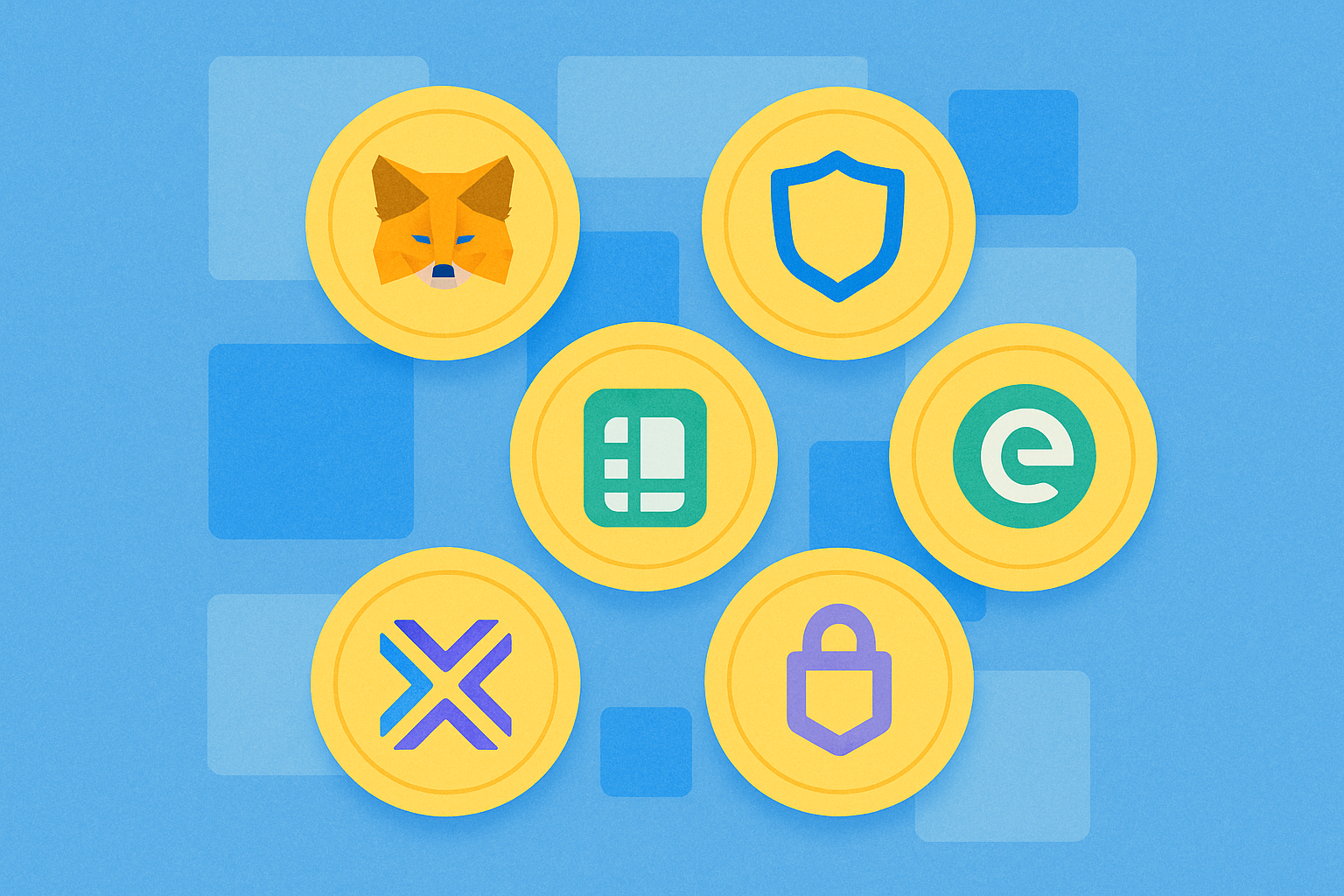
Optimal Solutions for Managing Your ERC-20 Ethereum Tokens Safely

Layer 2 Scaling Made Easy: Bridging Ethereum to Enhanced Solutions
What is Fuel Network (FUEL)? Everything You Need to Know about FUEL

Zora (ZORA) Airdrop Guide: Participation Steps, Reward Collection, and Price Predictions

What Is BNB Chain?

All You Need To Know About Yescoin
How to Buy Baron ($BARRON) Coin: What is Baron Trump Cryptocurrency?